A setup wizard
It reads your website and suggests everything. You check it, change what you like, and publish.
No scripts to write and no rules to maintain. You tell Signal what you offer and what you'd like to know; it works out when to ask and what to offer.
Paste the snippet into your site's header. The setup wizard reads your website and suggests the questions, offers and ways to reach you.
Pages, order, time, source. An AI model turns that into estimates you defined, like “what are they looking for” and “how soon”, each with a confidence.
When an estimate is unsure and the answer would change the offer, Signal asks one of your questions. One tap. It never asks the same thing twice.
Ready visitors: book a call, call back, call now, WhatsApp. Not yet ready: a guide by email or a short form. Not interested: nothing.
An alert with the whole visit: what they read, what they answered, how to reach them. Follow-up emails go out a few days later to people who agreed.
It reads your website and suggests everything. You check it, change what you like, and publish.
One question at a time, only what's still unknown. People finish them.
By email or webhook, with the whole visit, the moment someone is ready.
A gentle email a few days later, only to people who agreed, with an unsubscribe link.
Which channels and pages bring people who buy, with every number explained.
See what it would do on your real traffic before visitors see anything.
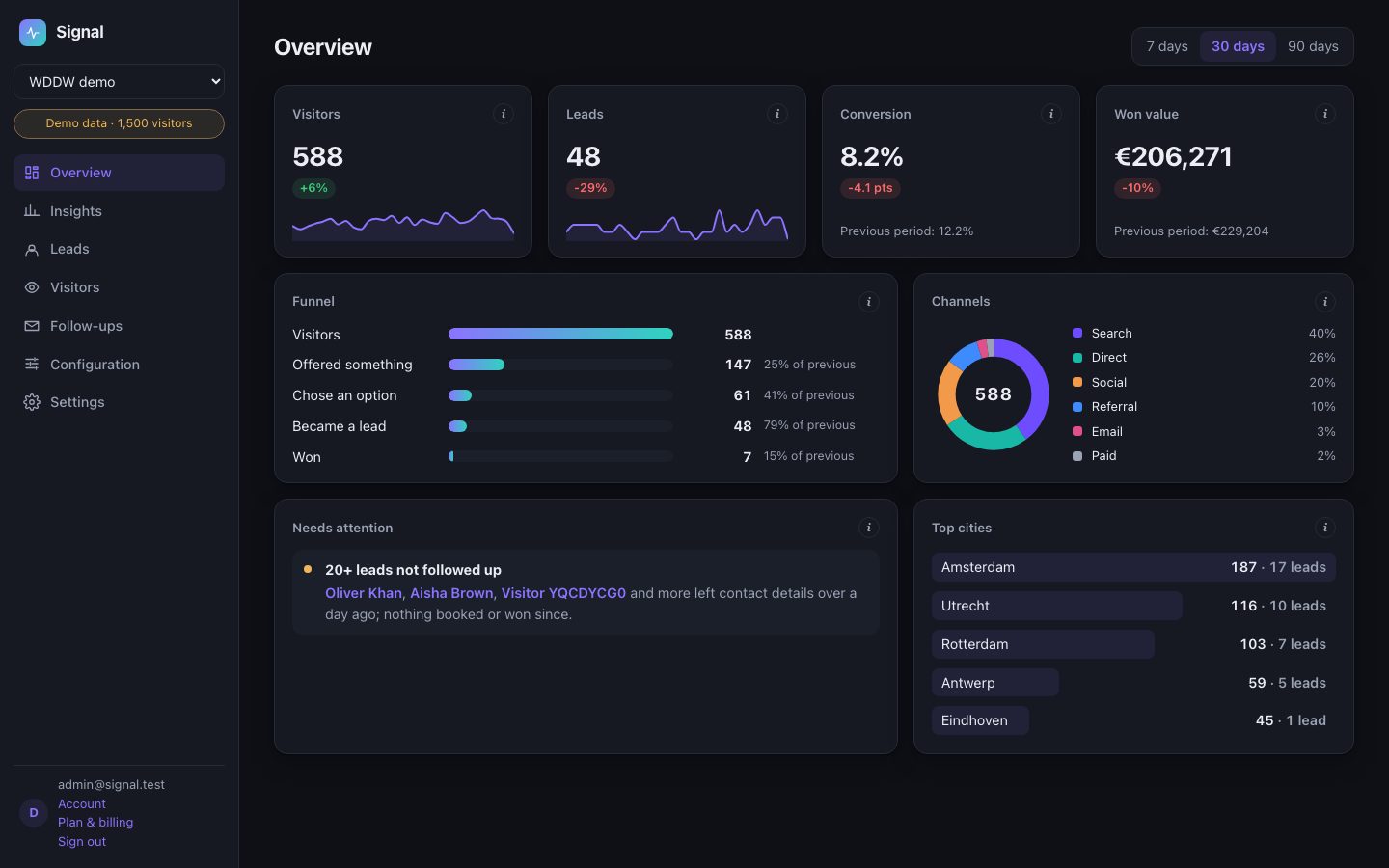
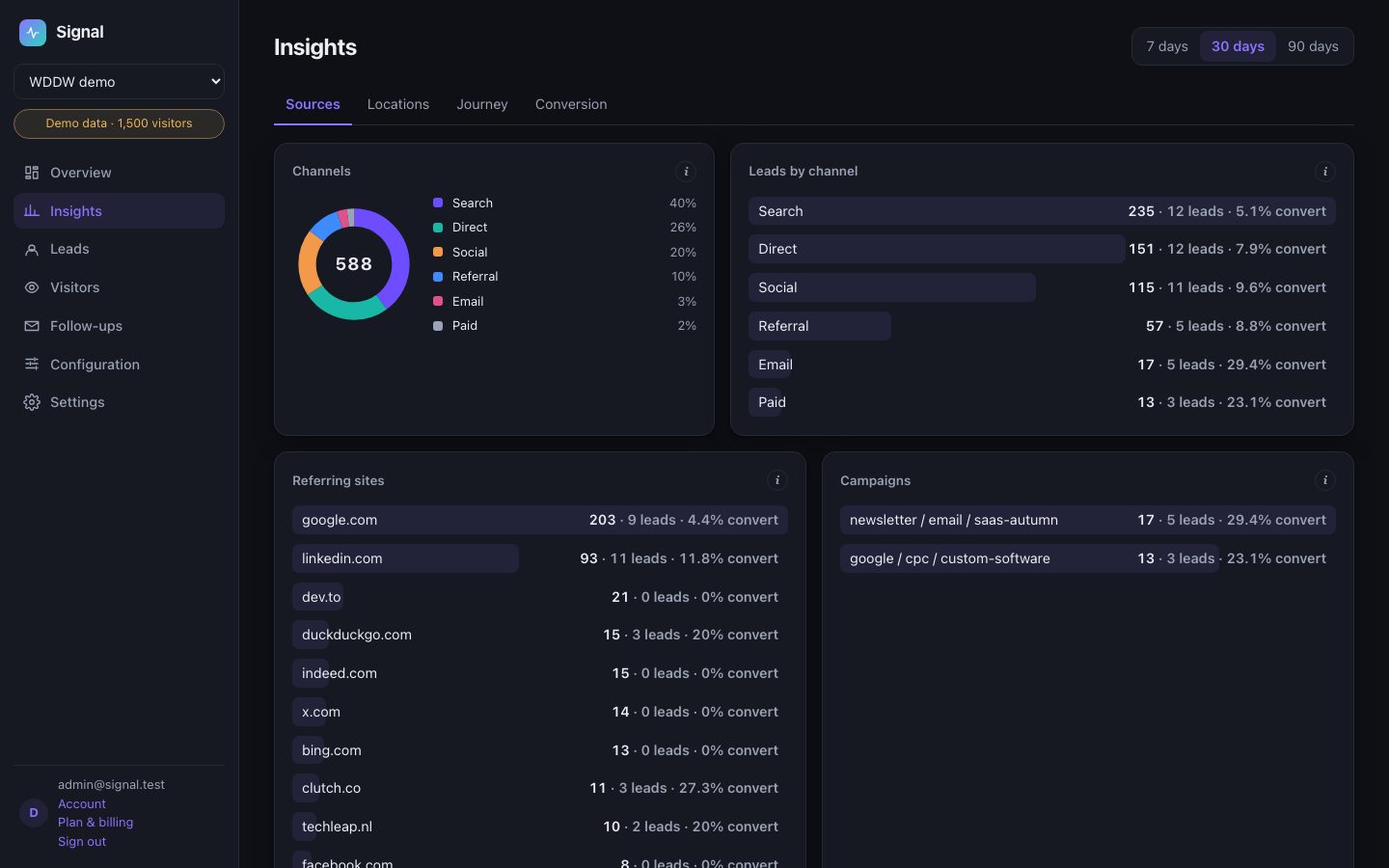
The pages a visitor views, how long they stay, where they came from, and the answers they give. Never their name, email or phone number, and never their IP address. Signal fills in names itself, after the model has done its part.
Yes. You write the questions, the answers people can tap, and the offers. The wizard suggests them from your website; you change anything you like and publish a new version.
It asks rather than assumes, and a visitor can always say no thanks. You can also run it in shadow mode first: it shows you what it would have done, without showing visitors anything.
Within seconds. It doesn't jump on people the moment they arrive: you decide which pages matter and how long someone has to stay before it speaks up.
Signal watches your real traffic and shows you what it would have done. Visitors see nothing until you switch it on.